
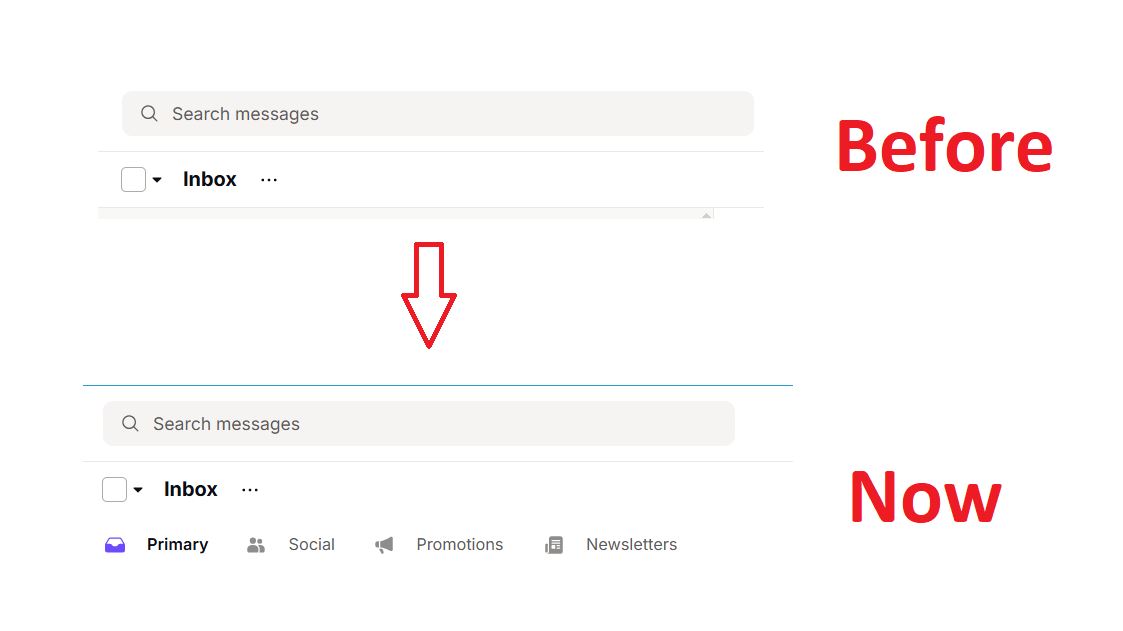
Proton Mail has added inbox category tabs for sorting incoming messages into groups such as Primary, Social, Promotions, and Newsletters.
The new Categories tabs allow you to sort incoming emails into six groups: Primary, Social, Promotions, Newsletters, Transactions, and Updates.
Primary emails include personal and work messages, along with important notifications.
Social emails include messages from social platforms, while Promotions contains deals, discounts, and sales. Newsletters is for non-promotional content you signed up to receive. Transactions includes bookings, billing, and orders, and Updates has automated confirmations and alerts.
If you currently log in to your Proton Mail, you will see a pop-up asking whether you want to enable the categories feature or stick to the old email inbox style. However, categories are enabled by default for new accounts. You can also choose which categories appear, control notifications, and display unread counts from Settings → Messages and composing.
Proton Mail also lets you correct the sorting. If a message lands in the wrong category, move it to the appropriate one. That action automatically updates the filtering behavior for future messages.
If you prefer the old Proton Mail inbox, you can disable Categories at any time, even after enabling it.
Source