
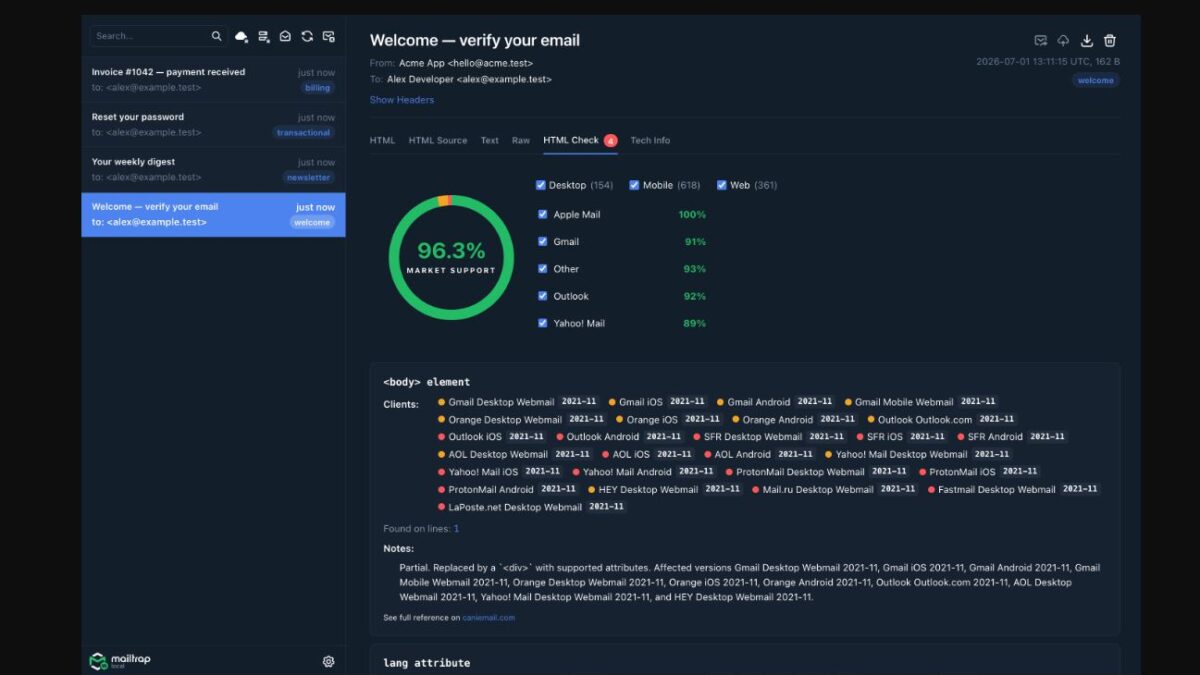
Mailtrap has launched Mailtrap Local, a free and open-source email testing tool that runs on your computer. It captures every email your application sends during local development, so nothing is accidentally delivered to real inboxes while you’re testing.
If you build or test applications that send emails, you can use Mailtrap Local to preview messages before they leave your machine.
Mailtrap Local acts as a local email server for development. Instead of sending emails to real recipients, your application sends them to Mailtrap Local, where you can inspect every message through a built-in web interface.
You can:
- View HTML and plain-text versions of emails.
- Check email headers and raw source.
- Download and inspect attachments.
- Search through captured emails.
- Test how HTML emails may appear across major email clients.
Once you’ve finished local testing, you can send captured emails to the cloud-based Mailtrap Email Sandbox for review or relay them through SMTP services such as SendGrid, Mailgun, Amazon SES, or Postmark to verify delivery in a real inbox.
To get started, install Mailtrap Local using Homebrew, Docker, a prebuilt binary, or by building it from source.
After installation, point your application’s SMTP settings to 127.0.0.1:3535, then open 127.0.0.1:3550 in your browser to view captured emails.
If you plan to use Send to Cloud or Auto Relay, you’ll also need to configure your Mailtrap account or another supported SMTP provider.
More about Mailtrap email marketing features and integrations.