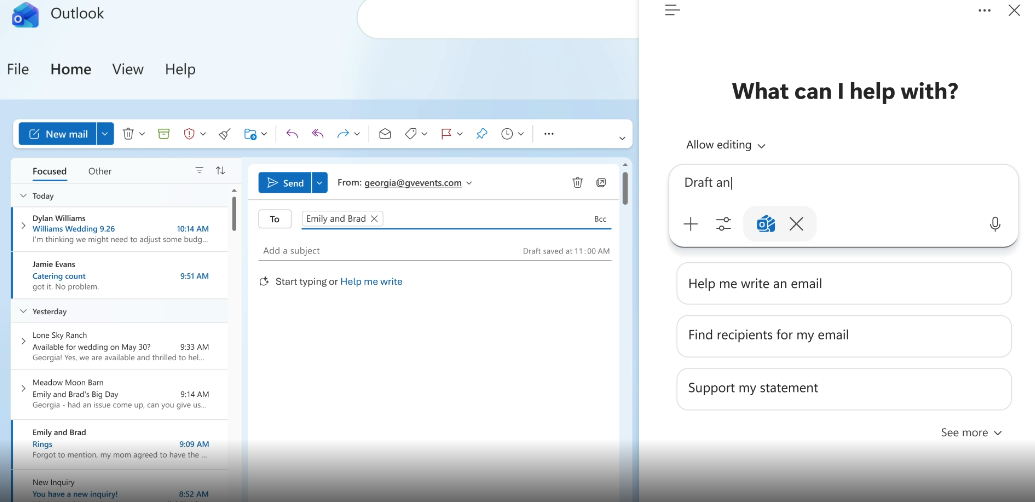
Microsoft is introducing new Outlook email features for 2026, including a redesigned Copilot experience, advanced Mail Merge, automatic reply templates, and faster email categorization.
The updates are listed on the Microsoft 365 Roadmap and are expected to roll out between August and September 2026.
New Copilot experience
The first major update is a redesigned Copilot experience for Classic Outlook. Microsoft plans to roll it out starting in August 2026.
Instead of placing Copilot features in different parts of the interface, Outlook will display one consistent Copilot option above your workspace. The assistant will understand the context of the email or task you are working on and suggest relevant actions from one location.
If you already use Copilot in Word, Excel, PowerPoint, or the newer versions of Outlook, the experience will feel familiar because Microsoft is bringing the same design to Classic Outlook.
Advanced Mail Merge
Microsoft is also expanding Outlook’s Mail Merge feature with a more advanced version for Outlook on the web and the new Outlook for Windows. A preview is expected in August 2026, followed by a broader rollout in September 2026.
The current Mail Merge feature already lets you send messages to multiple recipients. The new version goes further by replacing fields with personalized information for each recipient.
For example, you can automatically insert a recipient’s name into each email instead of sending the same generic message to everyone. Each recipient will also receive an individual email, meaning they will not see other recipients’ email addresses.
Automatic reply templates
Starting in September 2026, you will be able to create Outlook rules that automatically reply with a predefined template.
You can choose the conditions that trigger the response, select a saved template, and Outlook will send the reply automatically.
Drag emails directly onto favorite categories
Starting in September 2026, you will be able to pin your favorite categories and drag emails directly onto them. This removes the need to open menus or right-click messages to assign categories.